Create faster
No complicated setup. Create flashcards with text, images and cloze deletion in a clean, focused editor.
Create flashcards with text, images and cloze deletion. Let smart reviews and exam planning keep your studying on track.
12 months Premium · $18.99
Premium starts at public launch.
Explore the real Fishki app — from creating flashcards to daily reviews and exam planning.
Open Fishki and see what needs your attention today.
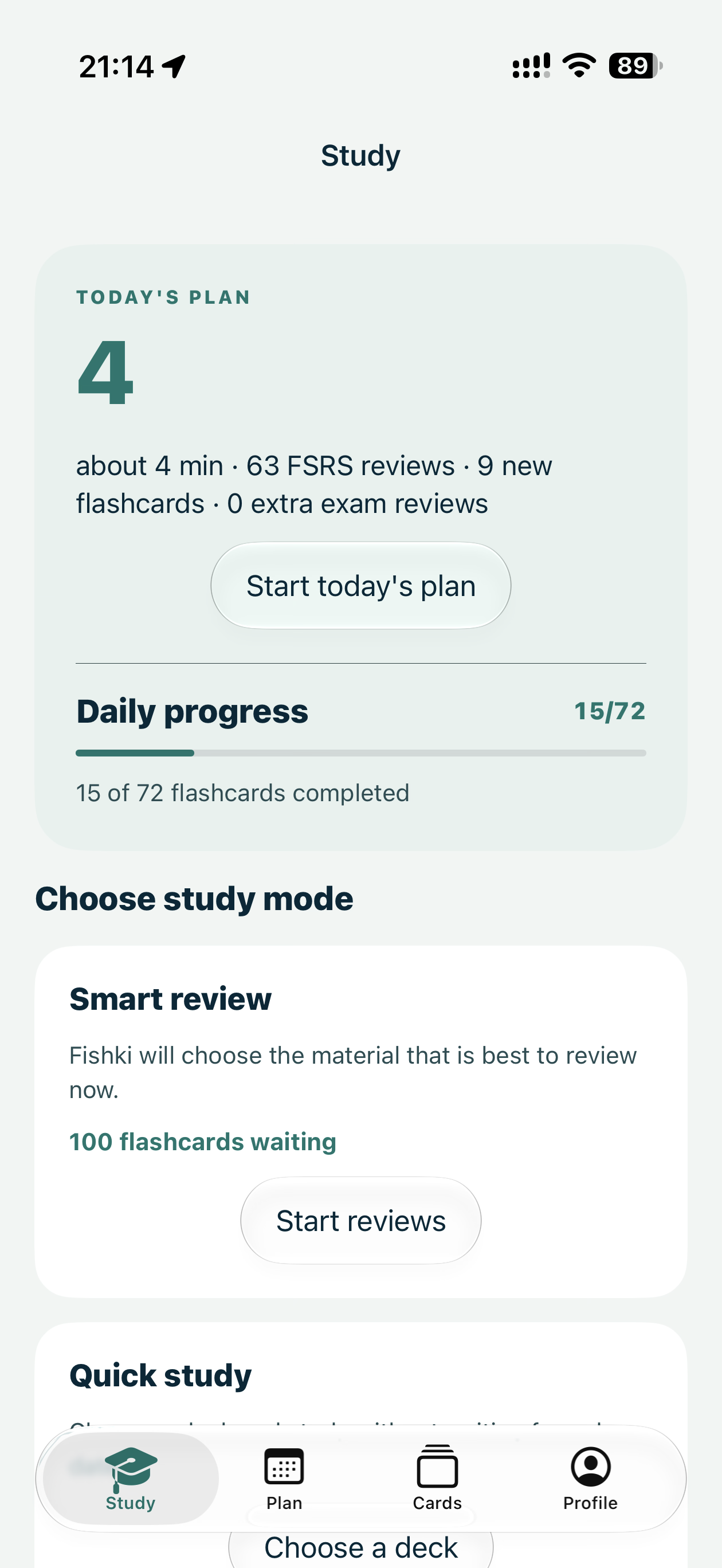
The simplicity of a modern flashcard app, the power of spaced repetition, and a study plan built around your exams.
No complicated setup. Create flashcards with text, images and cloze deletion in a clean, focused editor.
Smart FSRS scheduling helps you review cards at the right time, so you can spend less time repeating what you already know.
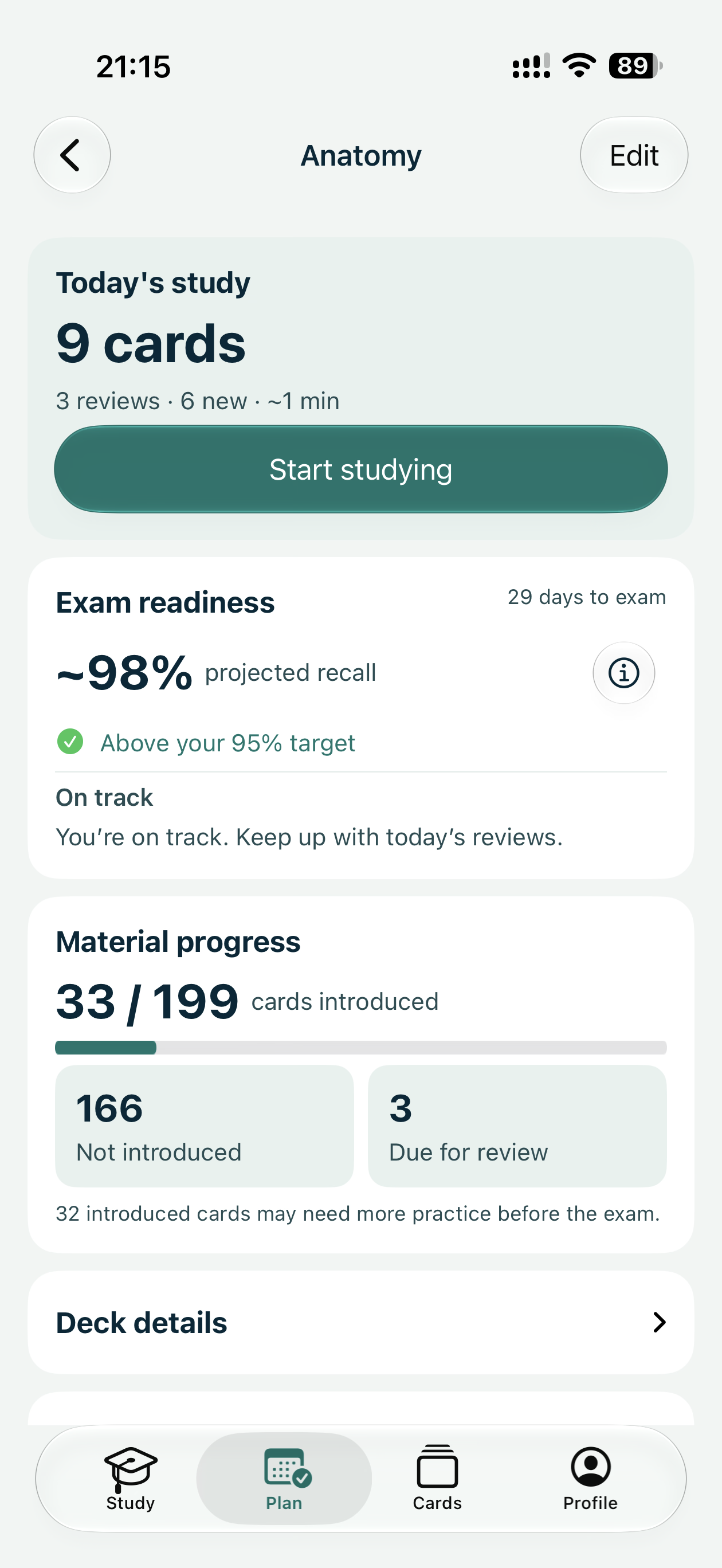
Set your exam date, choose your decks, and let Fishki organize your study workload around your deadline.
Tell Fishki when your exam is and which decks you need to master. Get a daily study plan that adapts as you make progress.
Set the deadline you’re working toward.
Choose the material you need to study.
See what to learn and review each day.
Fishki gives images, diagrams, classifications and structured answers the space they need without making card creation complicated.
Study anatomical structures with images, diagrams and image occlusion.
Break down mechanisms, indications and adverse effects into focused questions.
Organize material from multiple subjects and stay on track for your next exam.
Your flashcards and study sessions stay available offline, so you can keep learning between classes, on the train or wherever you are.
We spoke with medical students about what slows down their studying. Their feedback helped shape Fishki’s approach to flashcard creation, smart reviews and offline learning.
Medical student feedback
Private testing underway
Preorder 12 months of Premium today. Your subscription starts at public launch — with no automatic renewal.
$18.99
68% below planned annual price
Planned annual price after launch: $59.99
Expected launch: by the end of 2026
If Fishki has not launched publicly by March 31, 2027, you may request a full refund within the following two months.
A preorder for a 12-month Fishki Premium subscription. The Premium period starts on the public launch date.
No. Private beta testing is free and optional. Fishki may invite preorder customers before launch, but a purchase does not guarantee an invitation.
No. This is a one-time payment for 12 months of Premium from public launch; the preorder does not renew automatically.
If Fishki has not launched publicly by March 31, 2027, you may request a full refund within the following two months. Consumers also have 14 days to withdraw without giving a reason.
We’re aiming for a public launch by the end of 2026. This is an estimate and may change.
Consumers have statutory rights, including applicable withdrawal rights. Please see the Preorder and Sales Terms for the full conditions and refund procedure.
Stay updated on Fishki’s launch, new features and availability. No commitment.
No spam. Unsubscribe anytime.